
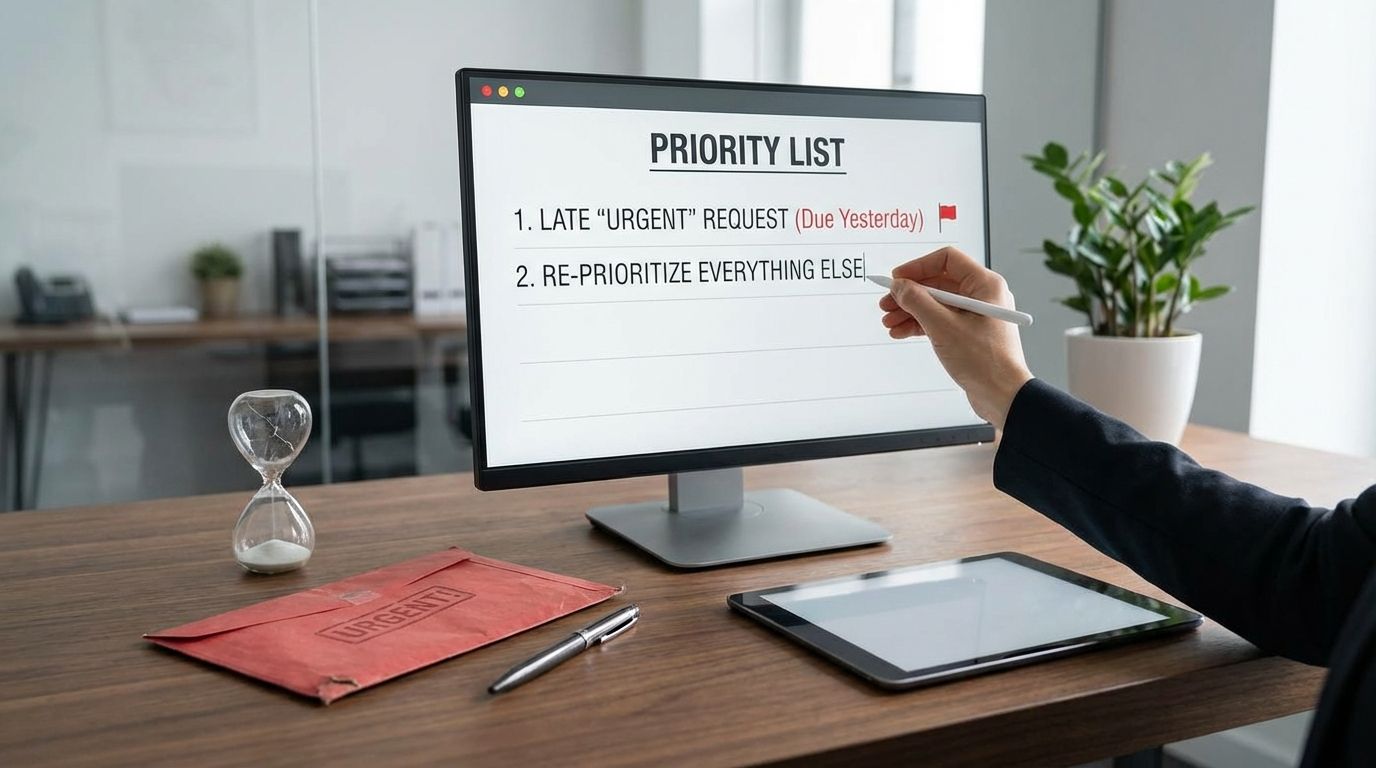
If everything keeps getting labeled “urgent,” you’re not dealing with a personal productivity problem. You’re dealing with a priority system that has collapsed, and the “urgent” tag is the workaround people use when planning, capacity, and decision-making fail.
You can still protect delivery, your reputation, and your time by forcing real tradeoffs, tightening intake, and putting visible rules around what qualifies as a true fire drill. You’ll leave with practical language to use with your boss, operating rules that reduce last-minute work, and process fixes that stop urgency from becoming the default setting.
Why Does Your Boss Mark Everything “Urgent” Even When It Isn’t?
When a manager calls everything urgent, it usually signals missing structure upstream. Work arrives late, requirements arrive incomplete, stakeholders change their mind midstream, and nobody owns sequencing. Urgency becomes the only lever left, because it’s faster to pressure individuals than to fix intake, planning, or accountability.
This pattern shows up in worker communities for a reason: repeated “urgent” requests train teams to ignore the label. People stop believing the signal, which means the rare truly time-critical item gets the same reaction as routine busywork. That’s how teams end up sprinting all day and still missing outcomes, not due to effort, but due to a broken prioritization mechanism.
You can diagnose the failure by watching where “urgent” appears. If it appears most often in chat pings, late-day drive-bys, or vague emails with no deadline, that’s not urgency. That’s unmanaged demand. If it appears after leadership changes direction, after a meeting nobody documented, or after a missed handoff between teams, that’s a process gap being paid for with your attention.
Modern work conditions make this worse. Microsoft’s Work Trend Index research describes an “infinite workday” pattern where Microsoft 365 users are interrupted on average every two minutes by a meeting, email, or notification. When the day is fragmented that aggressively, even normal work starts to feel time-critical, since focus time disappears and every delay looks like a risk. That is how leaders slip into urgency language even when the underlying issue is scheduling and coordination, not time sensitivity.
How Do You Respond When Your Boss Drops a Last-Minute “Urgent” Task at 4:50 PM?
The right response forces a choice without sounding defensive. Ask one tradeoff question and wait for an answer: “What should move down the list so this can move up?” Add two clarifiers that remove ambiguity: “What deadline are you committing to?” and “What breaks if this ships tomorrow?” That turns pressure into a decision.
That language works because it shifts the conversation from emotion to sequencing. Managers often use “urgent” when they want movement but don’t want to own the cost. Your job is to make the cost visible and put it back where it belongs: with the person setting priorities. If your boss refuses to pick, you still respond with a ranked list and a proposed plan, then ask for confirmation in writing.
End-of-day urgency also exposes a predictable system defect: demand is arriving ungoverned, so it collides with the calendar. Microsoft’s research notes that a large share of meetings are ad hoc and that last-minute scheduling is common. When teams accept late changes without a rule, managers learn that the system will absorb anything at any time, and they keep using it that way.
To protect yourself, summarize the tradeoff immediately in a short follow-up message: “Confirming priorities: I’m stopping X, starting Y, delivery by Z.” That message does three things. It prevents silent reprioritization, it creates a record of what changed, and it trains the organization to treat priority changes as decisions, not vibes.
How Do You Prioritize When Everything Is “High Priority” and Nobody Will Choose?
You can’t prioritize in a vacuum. Prioritization requires authority to accept tradeoffs, and when leadership avoids that authority, the team gets trapped in churn. The practical move is to stop arguing about labels and start presenting a capacity-bound menu: what can be finished with available time, what will be delayed, what will be dropped.
Use a short ranked list, not a long backlog. Three to five items max, with delivery dates next to each. Put the new “urgent” request into the same list with a proposed placement. Then ask a direct approval question: “Do you approve this order?” If the manager wants the new item at the top, they must acknowledge which current item moves down.
The Eisenhower urgent-versus-important principle is useful here because it provides neutral language that most managers recognize. It’s not a perfect model, yet it gives you a clean way to separate deadline-driven work from impact-driven work. You can use it to challenge priority inflation: if an item has no deadline, no customer impact, and no compliance risk, it is not urgent, even if someone is impatient.
Also watch for “priority laundering,” where someone changes a label to bypass the queue. That is a system integrity issue. When it happens, respond with a rule, not a debate: “We can expedite one item at a time. Which one is the expedite, and who is the approver?” You’re installing a guardrail in the moment, and that reduces repeats.
What’s the Real Productivity Cost of Constant Interruptions and Context Switching?
Interruptions don’t just steal the minutes spent answering a message. They add restart time, error risk, and coordination overhead. The work keeps moving, but it moves in smaller fragments, and that pushes delivery dates out in ways that are hard to explain to someone who only sees “busy” activity.
Microsoft’s Work Trend Index telemetry states that employees using Microsoft 365 are interrupted on average every two minutes by meetings, emails, or notifications. At that frequency, you don’t have an execution problem. You have an attention allocation problem. You can’t build deep work on a two-minute cadence, and most roles still require deep work to ship correct, reviewable outcomes.
Research on software developers supports what many teams feel intuitively: task switching and interruptions carry cognitive cost. Studies report that developers experience switching as disruptive because it forces unloading one mental model and loading another, and that disruption shows up as slower progress and reduced flow. This applies beyond engineering. Any role that requires complex reasoning, writing, analysis, design, planning, forecasting, or stakeholder synthesis gets hit the same way.
The system-level damage shows up as delivery volatility. Estimates get worse, because work gets sliced into tiny pieces. Quality drops, because review becomes rushed and fragmented. Morale drops, because people work longer hours to compensate for lost focus time, and leadership misreads that as “commitment” instead of “waste.” You end up with an organization that runs on heroics, then wonders why retention suffers.
Is “Fake Urgency” a Sign of Bad Management or a Broken System?
It’s frequently both, and the two reinforce each other. A broken system rewards managers who “get things done” through pressure, while punishing managers who slow down to fix intake, clarify ownership, or protect focus time. Over time, urgency becomes a leadership style. People who deliver through calm planning look “slow,” and people who deliver through panic look “decisive.”
Management commentary has started calling this out more directly. Forbes has framed “fake urgency” as a workplace pattern where leaders rush, label everything urgent, and create confusion about what actually matters. The business outcome isn’t speed. It’s misalignment, rushed decisions, missed details, and teams that stop trusting priority signals.
Worker communities describe the same thing with less polite language: urgency becomes performative. That difference matters for your day-to-day choices. Leaders may believe they are driving responsiveness, but you feel the cost in constant interruptions, late work, shifting targets, and the slow erosion of any stable plan.
When fake urgency is baked into the operating model, you’ll see repeatable symptoms: no single intake channel, no triage owner, no service-level agreements, no work-in-progress limits, and no protected time. Fixing one manager’s behavior helps, yet it won’t stick unless the system makes calm execution easier than firefighting.
What Processes Reduce Fire Drills Without Slowing the Business Down?
The fixes are operational, not motivational. People don’t need more reminders to “manage time.” They need rules that make demand predictable and decisions visible. Start with four controls that scale across teams: a single intake path, triage criteria, explicit service levels, and work-in-progress limits.
Single intake path means requests don’t arrive through five channels. Pick one: a ticketing queue, a shared form, a shared mailbox with rules, or a dedicated intake chat tied to a tracker. The goal is visibility and ordering. When work arrives in private messages, it becomes invisible demand, and invisible demand always becomes “urgent” later.
Triage criteria defines what qualifies for immediate interruption. Keep it strict. Real emergencies have measurable impact, a hard deadline, a clear owner, and a clear success condition. Everything else goes into the queue with a planned start date. This is where most teams fail: they treat “someone is mad” as an emergency. That creates an organization that serves mood, not outcomes.
Explicit service levels stop the endless “quick question” pattern. If the team commits to response time bands, stakeholders stop interrupting individuals to get faster answers. That also gives your boss a tool to push back with confidence: the team is not “slow,” the team is operating to published expectations.
Work-in-progress limits are the guardrail that keeps “urgent” from exploding. Limit active work per person, and limit expedite work across the team. A simple rule works: one active priority per person, one expedite per team. When a new expedite arrives, something else must pause. That creates automatic tradeoffs, and tradeoffs are what urgency language tries to avoid.
Microsoft’s “infinite workday” findings make the case for designing around interruptions rather than pretending they won’t happen. If interruptions arrive every few minutes, you need protected focus blocks, notification rules, meeting hygiene, and clear ownership. If leaders want speed, they must buy it with structure, not with pressure.
When Should You Escalate, Set Hard Boundaries, or Leave?
Escalate when urgency is used to override planned work without explicit tradeoffs, and when that pattern repeats after you’ve asked for prioritization in writing. This is no longer a one-off. It’s an operating model problem, and escalation is appropriate because it affects delivery risk, client commitments, and team health.
Escalation works best when it’s framed as throughput and risk, not feelings. Bring data your leadership can’t ignore: number of priority changes per week, number of after-hours pings, number of tasks started but not finished, cycle time increases, defect rates, missed deadlines. Pair it with a short ask: one intake channel, one triage owner, and a defined expedite policy. When you walk in with a solution that reduces chaos, you move the conversation from blame to operating discipline.
Hard boundaries are needed when the system treats availability as infinite. Set response windows, define when you stop taking new work, and document the rules. If your boss wants exception handling, make exceptions explicit and rare. Calm execution is a professional standard, not a personality preference.
Leaving becomes rational when leadership refuses to define priorities, refuses to protect focus time, and continues to reward last-minute work creation. A system that runs on emergency mode doesn’t just burn people out, it burns out its ability to deliver reliably. Research in the American Journal of Preventive Medicine modeled substantial annual employer costs tied to burnout and disengagement, with cost estimates rising sharply for managers and executives. Organizations that ignore these costs are signaling that they’ll keep spending people to avoid fixing process.
How Do You Handle a Boss Who Says Everything Is Urgent?
- Ask: “What should I pause to do this?”
- Get a deadline, impact, and owner
- Confirm the reprioritization in writing
- Limit expedites to one at a time
Turn “Urgent” Back Into a Real Signal
You don’t fix chronic urgency by working faster. You fix it by forcing decisions, making tradeoffs visible, and installing simple operating rules that prevent hidden demand from ambushing the calendar. When you respond to last-minute requests with clear sequencing questions, you train leadership to own priorities instead of outsourcing them to pressure. When you centralize intake, define triage criteria, publish service levels, and cap work-in-progress, you reduce fire drills without slowing delivery. If leadership won’t support those basics, escalation becomes a delivery risk discussion, and leaving becomes a rational career move. Take control of the signal, and you’ll ship more, with less churn, and with a workday that stops expanding to fill every available minute.
References
- Microsoft WorkLab: Breaking Down The Infinite Workday
- American Journal of Preventive Medicine (ScienceDirect): The Health and Economic Burden of Employee Burnout to U.S. Employers
- Forbes: Fake Urgency In The Workplace
- arXiv: Two Sides of the Same Coin: Software Developers’ Perceptions of Task Switching and Task Interruption
- Indeed: Eisenhower’s Urgent vs. Important Principle
- Reddit: “My Job Keeps Calling Everything ‘Urgent’…”
- Reddit: Last-Minute Tasks Late In The Day
- Reddit: “Everything Is Urgent At My Work. How To Cope?”
- Reddit: Keep One Active Work Priority
- Reddit: “Everything Is Urgent All Of The Time…”

Jeffrey Wendel leads business development at Carts and Parts, a top E-Z-GO golf car dealership in Union City, IN. With more than three decades in powersports retail and small-business growth, he specializes in financing, customer experience, and marketing—and also coaches owners on scalable strategies. He is the author of Grand Slam Retirement.