If you manage a team in today’s digital work environment, chances are you’ve already come across the buzz around generative AI. But this isn’t just another wave of hype—it’s a shift in how work gets done. You’re expected to lead faster, smarter, and more creatively, often with tighter budgets and greater expectations. Generative AI gives you leverage. It’s not about replacing jobs; it’s about doing yours better—with fewer blockers and more clarity. Whether you’re looking to streamline meetings, cut time on content creation, or bring more focus into your project workflows, the right tools can completely change your daily grind. Let’s walk through the ones worth your attention.
ChatGPT: Your Quiet Powerhouse for Communication
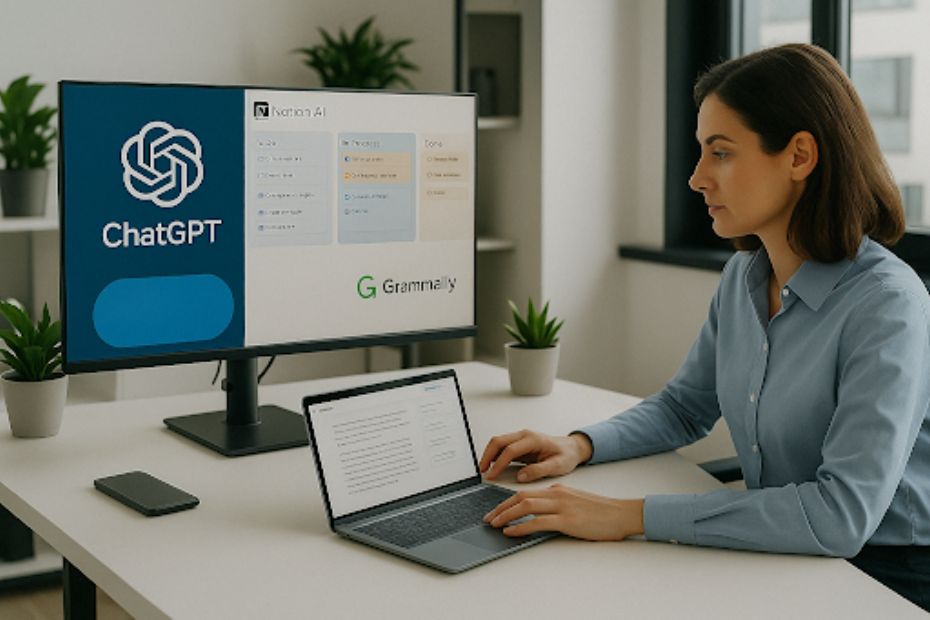
If you haven’t already used ChatGPT to get unstuck while drafting an email or outlining a report, you’re missing a major time-saver. This tool can handle everything from summarizing research to generating first drafts for documents, proposals, or updates. It doesn’t think for you—it gives you a head start. You can fine-tune tone, adjust clarity, or ask it to reframe something more professionally. When deadlines are tight, ChatGPT helps you move faster without compromising quality.
What makes it effective is how adaptable it is. You’re not locked into templates or workflows. You can ask it questions, brainstorm talking points, or get quick feedback before presenting. It’s like having an on-demand assistant who doesn’t interrupt your day but is always ready when you are.
Notion AI: Keeping Everyone Aligned
Project management isn’t just about keeping things on track—it’s about keeping people on the same page. Notion AI helps you do both. You can write meeting notes that convert into action items automatically. You can turn brainstorming sessions into structured outlines. You can even let it summarize progress updates so your team doesn’t waste time reading walls of text.
If your team is remote or hybrid, Notion AI becomes even more valuable. It keeps shared knowledge clean, searchable, and updated without piling on more meetings. When you use it well, your team runs with more autonomy—and you don’t have to chase updates or micromanage workflows.
Otter.ai: Meetings Without the Fog
You’ve probably walked out of a meeting and thought, “Wait—what was the actual decision?” Otter.ai solves that. It transcribes your conversations in real-time and organizes them by speaker. You can tag key moments, search by keywords, and share transcripts with anyone who missed the call.
The magic is in the follow-up. Instead of asking your team to remember everything or manually take notes, you let Otter handle that. It’s especially helpful when you’re multitasking or running back-to-back meetings. With searchable transcripts, you keep discussions accountable and decisions trackable.
Jasper: Content Creation Without the Burnout
Marketing, recruiting, product updates—content touches every part of your business. Jasper is designed to speed up that process. It helps you create blog posts, email sequences, landing page copy, and social media captions, all aligned with your brand voice.
If you’ve ever stared at a blank screen trying to write an announcement or a job post, Jasper will break that logjam. You still guide the message, but it handles the heavy lifting. You get more done in less time, and your content team can stay focused on strategy instead of wrestling with drafts.
Grammarly: Sharpening Your Message
Professional communication isn’t just about what you say—it’s how clearly and confidently you say it. Grammarly helps you strike the right tone in emails, reports, and chat messages. It flags passive voice, awkward phrasing, and even makes suggestions based on tone and formality.
You might already use it for grammar checks, but its AI-driven clarity tools are where it really shines. Whether you’re reviewing client-facing materials or coaching junior team members on writing, Grammarly keeps the message sharp and the impression strong.
Canva: Fast, Clean Visuals Without a Design Team
Canva has come a long way from being just a simple drag-and-drop design tool. With AI-assisted features, you can now auto-generate presentation slides, design social media graphics, and even resize layouts for different platforms in a few clicks.
For managers, this is a game-changer when you need quick visuals for decks, proposals, or updates—and your designer is buried in other work. You can create high-quality materials without waiting, and still keep everything on-brand.
Trello: Smart Task Management That Works With You
Trello uses automation and smart prioritization to help you stay on top of your team’s workflow. You can automate reminders, move cards based on status changes, and set up checklists that evolve with the project.
Instead of wasting time in spreadsheets or cluttered inboxes, you get a clean visual snapshot of what’s in motion. Trello keeps things moving while letting you focus on coaching and execution instead of babysitting deadlines.
Loom: Visual Feedback at Scale
Some messages are just better on video. Loom lets you record your screen and voice so you can explain ideas without scheduling another meeting. It’s great for onboarding, giving feedback on documents, or walking through dashboards with commentary.
When your team can watch and rewatch at their convenience, it cuts down on confusion and speeds up execution. Plus, it builds a stronger sense of presence—even when you’re managing remotely.
Slack: Smarter Communication, Less Noise
Slack’s AI features help reduce notification overload by highlighting relevant threads and surfacing key updates. You can use custom workflows to route messages, auto-respond to FAQs, and tag items for follow-up.
Used well, Slack becomes more than a chat tool—it becomes a productivity filter. You waste less time digging for information, and your team can stay focused without feeling overwhelmed by pings.
Zoom: Meetings That Actually Work
Zoom now includes features like live transcription, smart scheduling, and meeting summaries. These additions make it easier to focus during calls and keep everyone aligned afterward. You no longer need someone manually documenting key takeaways or action items.
For managers dealing with multiple departments or remote teams, these features make your calls shorter, more focused, and easier to act on. It’s about clarity, not just connectivity.
Top Generative AI Tools for Managers
- ChatGPT for fast writing and ideation
- Notion AI for team documentation
- Otter.ai for meeting transcription
- Jasper for scalable content
- Grammarly for communication clarity
Work Smarter, Not Harder—with the Right AI
You don’t have to be a tech wizard to lead a smarter team. You just need to know which tools actually work and how to use them to your advantage. Generative AI helps you reclaim time, stay ahead, and focus on what only you can do—coach, decide, and lead. When you integrate these tools into your team’s rhythm, you spend less time fixing and more time building. And that’s where leadership thrives.
Discover more leadership strategies and productivity tips on my Weebly site.

Jeffrey Wendel leads business development at Carts and Parts, a top E-Z-GO golf car dealership in Union City, IN. With more than three decades in powersports retail and small-business growth, he specializes in financing, customer experience, and marketing—and also coaches owners on scalable strategies. He is the author of Grand Slam Retirement.